Hi, I've read some discussions here and elsewhere about Mandriva security and the use of sudo.
As well as editing /etc/sudoers, and making yourself ($USER) part of the wheel group, you may require a tighter security than that of the default Mandriva system setup.
Warning! This is a one user system, so some selections may not apply to your system, be careful, if you don't know what a setting does Leave it at the default.
I've been using Mandriva for a few years now, and I generally do these tasks mentioned here, with every update of sudo and the MSEC tool packages.
To be honest I don't know where the config file is for MSEC, and that may be just as well. ;-)
[code]/etc/security/msec[/code]
So to ease my fingers and kb, I have snapshots (.png) of the settings I have made.
After you've done all of this, a reboot is required to put the settings in place, ( like sudo
and group changes).
/etc/sudoers
===========================================================================
# sudoers file.
#
# This file MUST be edited with the 'visudo' command as root.
# Failure to use 'visudo' may result in syntax or file permission errors
# that prevent sudo from running.
#
# See the sudoers man page for the details on how to write a sudoers file.
#
# Host alias specification
# User alias specification
# Cmnd alias specification
# Defaults specification
# Runas alias specification
# User privilege specification
root ALL=(ALL) ALL
# Uncomment to allow people in group wheel to run all commands
%wheel ALL=(ALL) ALL
# Same thing without a password
%wheel ALL=(ALL) NOPASSWD: ALL
# Samples
%users ALL=/sbin/mount /cdrom,/sbin/umount /cdrom
%users localhost=/sbin/shutdown -h now
=================================================================
snapshot0-MSEC-system-security-and-audit.png

snapshot1-Basic+security.png

snapshot2-System-security-top.png

snapshot3-System-security-bottom.png
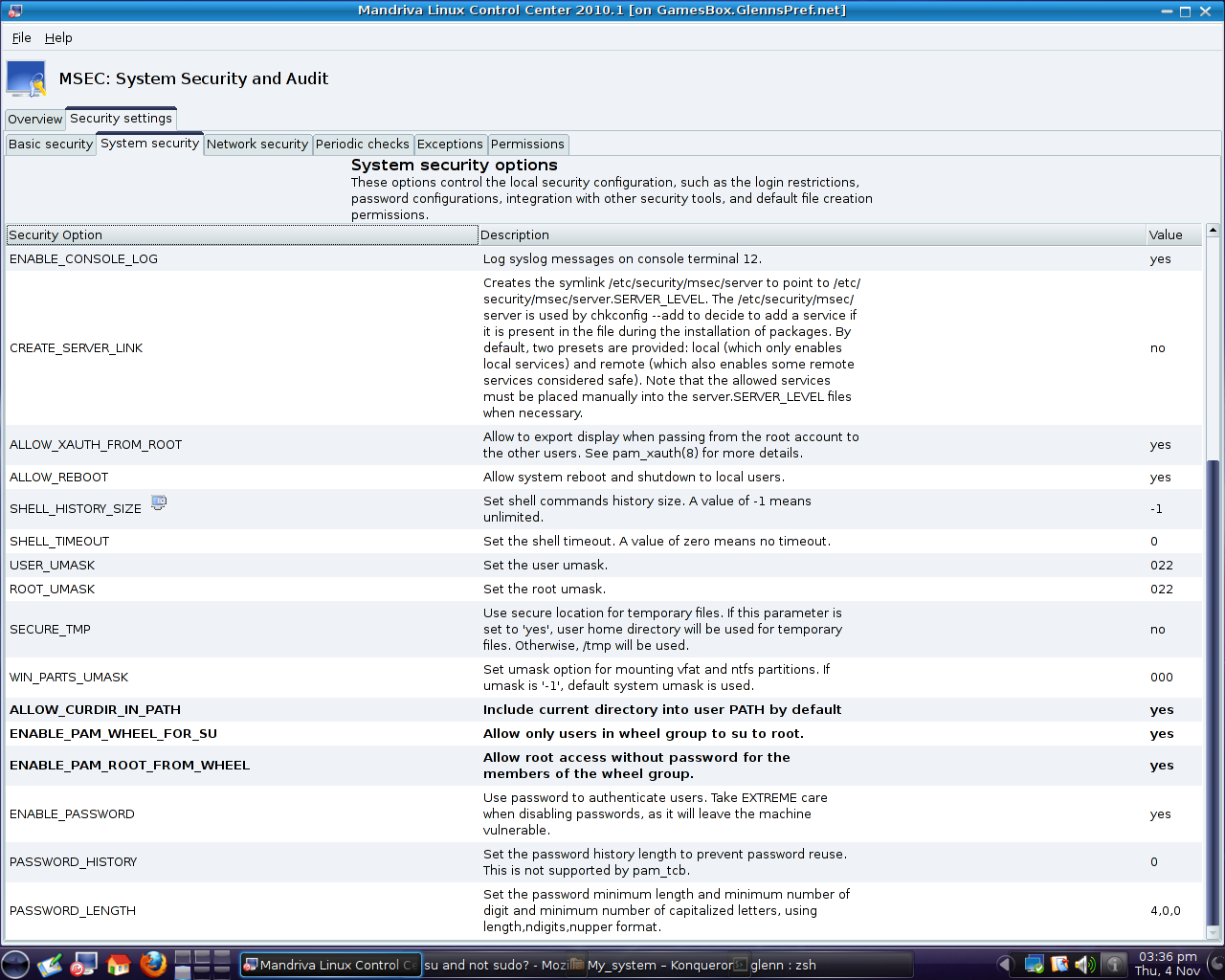
snapshot4-Network-security.png

snapshot5-Periodic-checks.png

snapshot6-Periodic-checks-bottom.png

snapshot7-Exceptions(none).png
.png)
snapshot8-Permissions(all).png
.png)
snapshot9-Users-and-Groups.png

snapshot10-Users-and-Groups-bottom.png

snapshot11-Groups-bottom.png

snapshot12-Groups-top.png

Don't forget to reboot for permission changes for groups and sudo.
I hope this helps you, Regards Glenn :-)


